PDF Guides & Insights
Practical guides, helpful tips, and clear explanations to make working with PDFs easier.
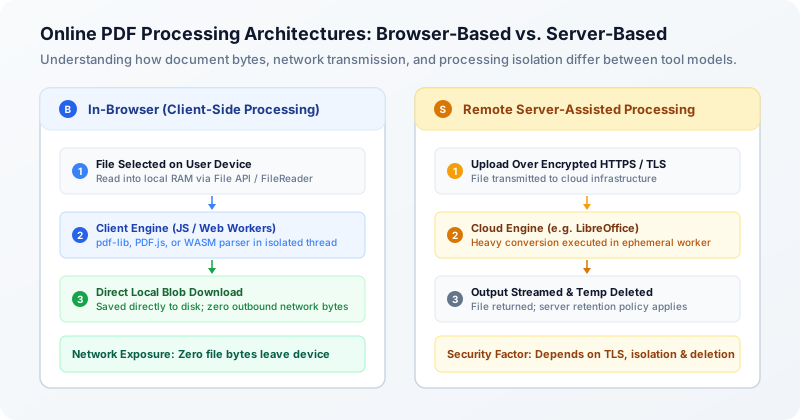
Are Online PDF Converters Safe? Browser-Based vs. Server-Based Processing Explained
Every day, millions of people upload bank statements, employment contracts, medical records, and tax forms to free online PDF converters. But what actually happens to your files once you drop them into a browser window? Understand the architectural differences between browser-based and server-based PDF tools, evaluate real privacy risks, and learn how to protect sensitive documents.
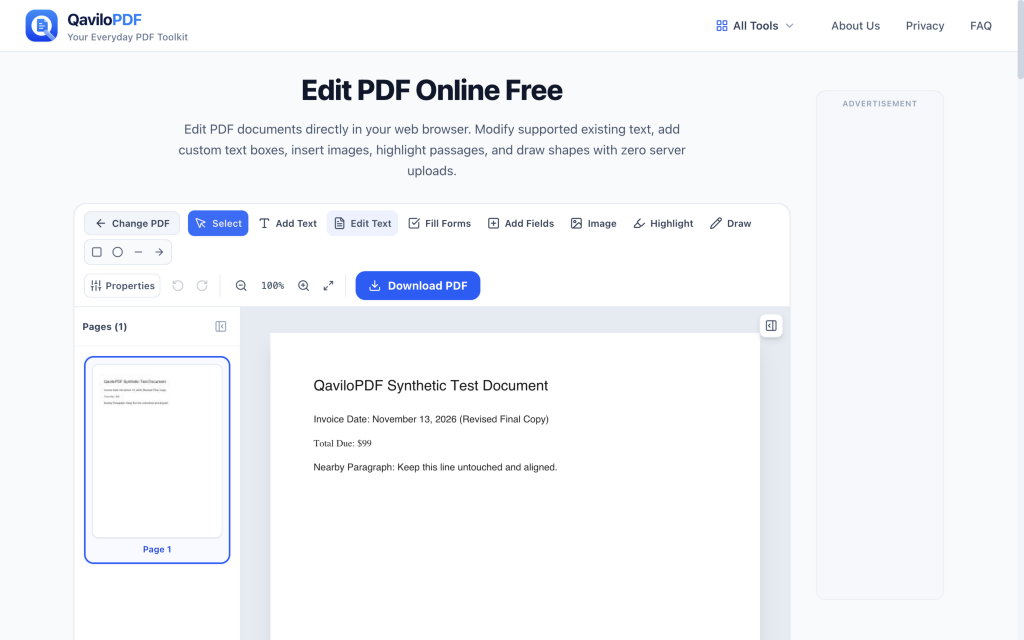
How to Edit Existing Text in a PDF Without Changing the Layout
Need to fix a typo, update a date, or change a price in a PDF without shifting nearby paragraphs or breaking your alignment? Follow this practical step-by-step workflow to edit existing PDF text in your browser, preserve page geometry, and verify the exported file.
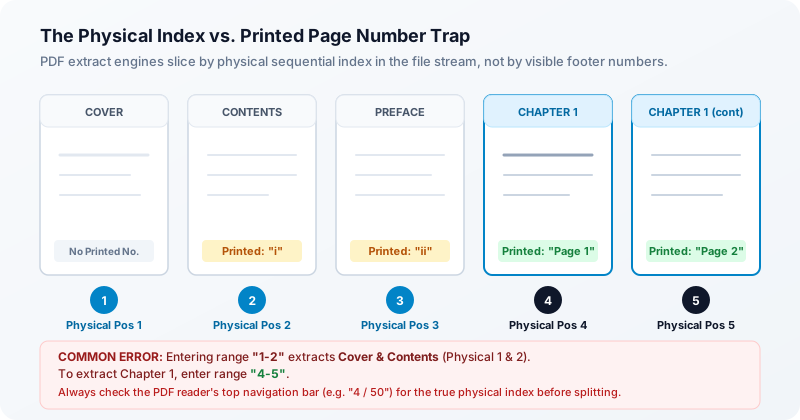
How to Split a PDF or Extract Specific Pages Without Losing Important Content
Need to isolate a single chapter, pull signed contract pages, or divide a multi-page report into manageable files? Learn the critical difference between splitting and extracting, avoid the physical index trap, understand the limits of virtual printing, and see how bookmarks, hyperlinks, and form fields behave during extraction.
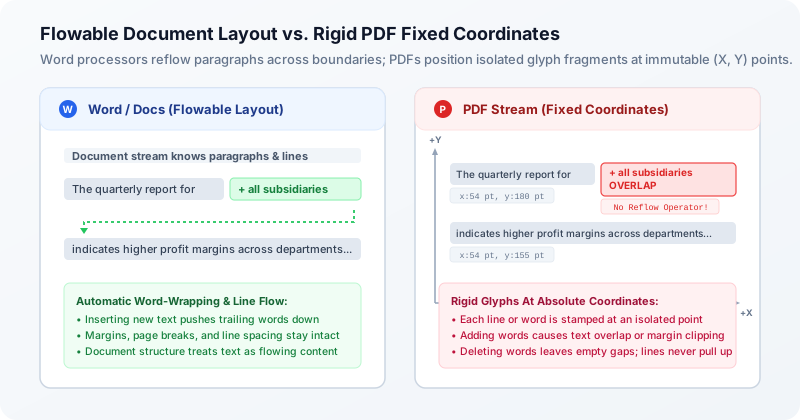
Why Is Editing PDF Text So Difficult? Fonts, Layouts, and Common Problems Explained
Ever tried editing a single word in a PDF only for the text to overlap adjacent sentences, shift positions unpredictably, or appear in the wrong font? Discover why PDFs are digital printouts rather than flowing documents, how fixed coordinates and font subsetting complicate edits, and how modern in-browser editors navigate these technical constraints.
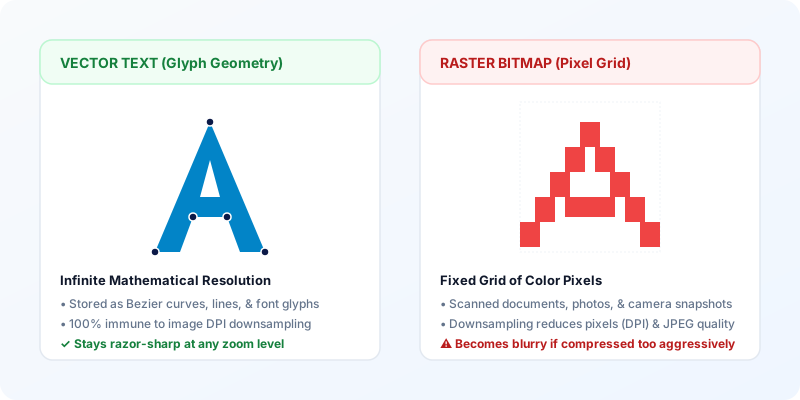
How to Compress a PDF Without Losing Readability
Need to shrink a PDF for Gmail, Outlook, or an upload portal without turning text blurry? Learn the six technical causes of PDF bloat, exact email attachment ceilings accounting for MIME encoding overhead, and how to compress files privately in your browser.

How to Merge PDF Files Privately and in the Correct Order
Need to combine multiple PDF documents into a single organized packet without sending confidential files to a remote cloud server? Learn how in-browser PDF merging works, how to arrange files in the correct sequence, what happens to vector typography and forms, and how to verify your final combined document.
Explore PDF Tools
Convert, organize, edit, and manage your PDFs with QaviloPDF's easy-to-use tools.