A Free, In-Browser Alternative to Smallpdf
Looking for a Smallpdf alternative without a 2-task daily cap or Pro paywalls on Strong compression, OCR, and text editing? Compare verified capabilities, pricing, and privacy architectures between QaviloPDF and Smallpdf.
By QaviloPDF • Published 2026-11-13 • Last verified 2026-11-16
QaviloPDF vs. Smallpdf Feature Comparison
| Capability | QaviloPDF | Smallpdf |
|---|---|---|
| Pricing & Trial Terms | 100% Free Core Tools — No paid tiers, subscriptions, 7-day trials, or credit-card sign-ups | Freemium (Pro / Team) — Published US Pro ~$15/mo monthly (~$10/mo annual); Team ~$12/mo monthly (~$8/mo annual); 7-day Pro trial converts automatically unless cancelled |
| Multi-Step Workflow Bottleneck | Chainable Without Daily Quota — Merge (20 files / 150 MB), Split, Edit, Compress (50 MB max), and Redact in one continuous session | Hits 2 Tasks / Day Cap Mid-Workflow — Chaining Merge + Edit + Compress + Protect exceeds 2 free daily tasks after step 2 |
| Account / Sign-Up | No Account Required — Immediate access without login prompts or email verification | Frequent Sign-In Prompts — Account required for Pro trials, saved storage, and expanded metering |
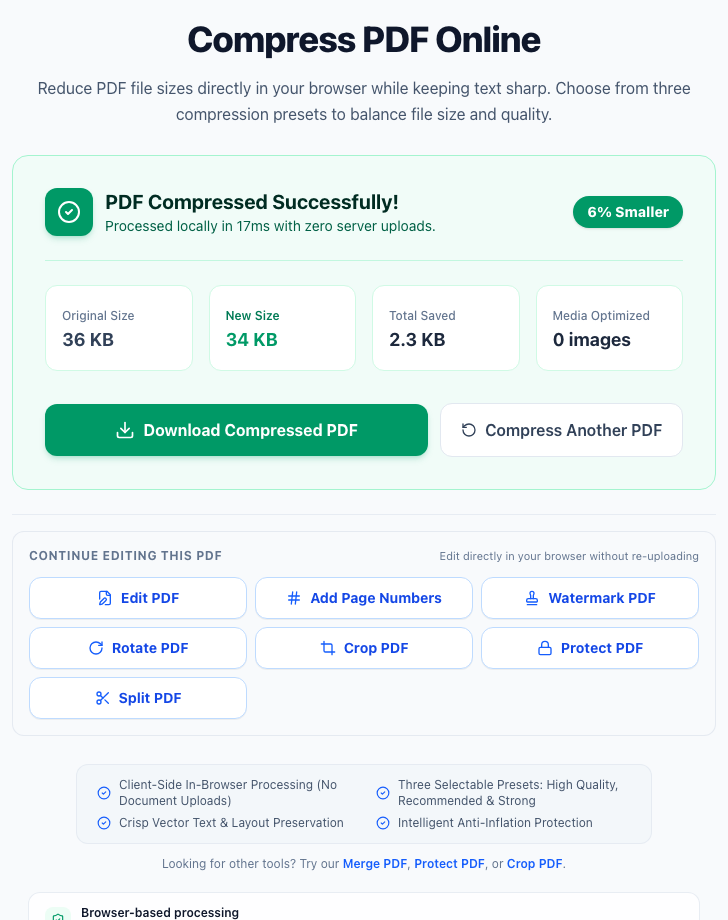
| PDF Compression Presets | High, Recommended & Strong Free — 200, 150, and 100 DPI image downsampling + lossless stream deflation + Anti-Inflation Guard (up to 50 MB) | Basic Free / Strong Pro — Basic compression free; Strong compression locked behind Smallpdf Pro |
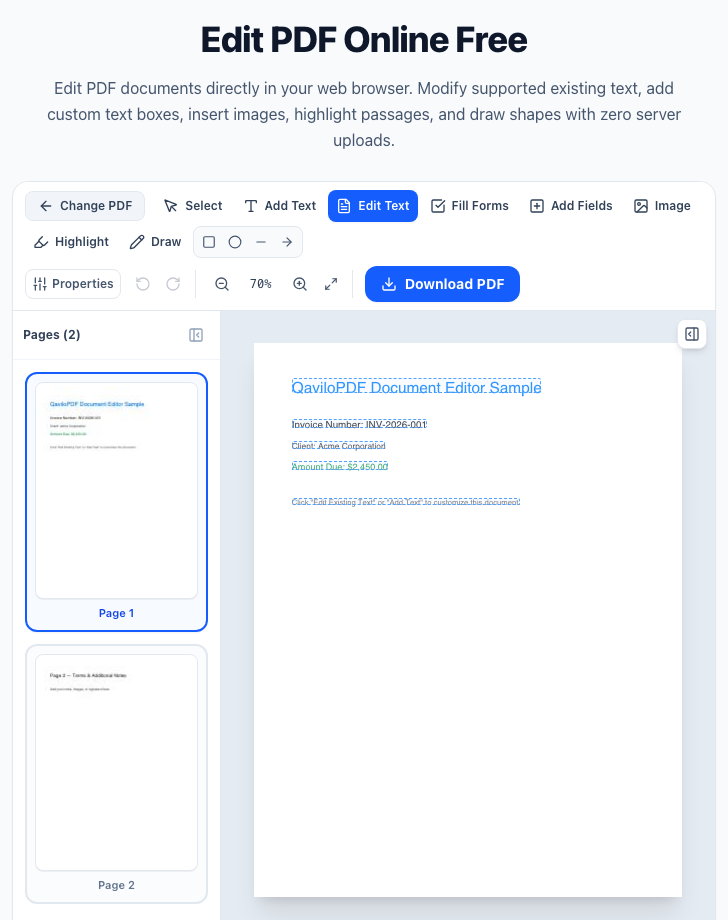
| Edit Existing PDF Text & Redaction | Content-Stream Edit + 200 DPI Redact — Direct replacement for WinAnsi text + AcroForm builder; Redact PDF rasterizes redacted pages at 200 DPI | Pro Required for Direct Text Edits — Free tier covers overlays/annotations; editing existing text requires Pro |
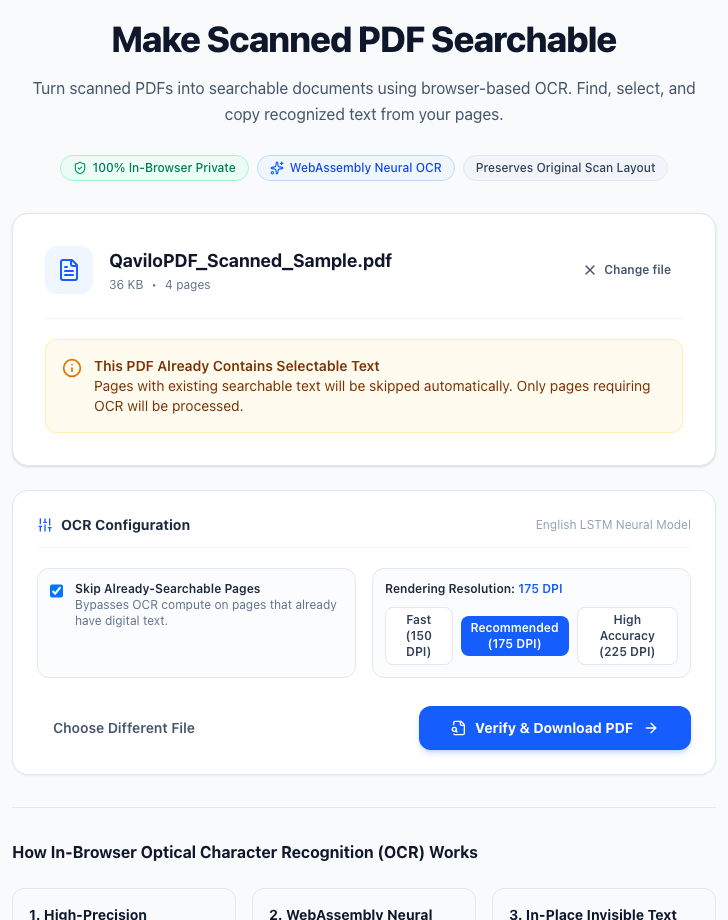
| OCR (Scanned PDFs) | Free In-Browser English OCR — Client-side Tesseract.js neural OCR (English only; up to 20 pages desktop / 5 pages mobile) | Pro Required (Multi-Language) — Requires Smallpdf Pro; supports multiple international languages on cloud servers |
| Repair Damaged PDFs | In-Browser (QPDF WASM, 50 MiB) — Structural recovery in Web Worker with no backend upload; separates full, partial (60-page check cap), password-required, and unrecoverable outcomes | No Dedicated Repair Tool — Smallpdf publishes general file-recovery troubleshooting guides rather than a dedicated structural PDF repair utility |
| Decrypt / Unlock PDF | AES-256 & RC4 Locally — Decrypts user/owner passwords for AES-256 and RC4 PDFs in browser; AES-128 unsupported | Cloud Unlock Tool — Broad password decryption across common PDF encryption revisions within daily free limit |
| Word, Excel & PowerPoint Conversions | Word, Excel (.xlsx) & CSV — Converts .docx/.doc (15 MB / 150 MB batch), .xlsx, and .csv to PDF; no PPT or PDF-to-Office | Full Bidirectional Office Suite — Converts Word, Excel, and PowerPoint to and from PDF |
| AI PDF Chat & Summarizer | Not Available — Focused on deterministic PDF utilities rather than AI chat | Included (Capped on Free) — Chat with PDF and AI Summarizer capped on Free, unlimited on Pro |
| Offline Desktop & Mobile Apps | Mobile-Responsive Web App — Runs in desktop/mobile browsers; no standalone native installer | Windows Desktop & Mobile Apps — Offline Windows Desktop processing for Pro; iOS/Android mobile apps |
| Processing & File Deletion | Local In-Browser Processing — Core tools never upload files; Word-to-PDF uses transient server memory only | Cloud TLS/AES-256 + 1-Hr Deletion — ISO/IEC 27001, GDPR, eIDAS; web uploads auto-deleted after 1 hour unless saved |
Observed QaviloPDF Interface & Workflow Evidence
In-Browser Execution vs. Cloud Upload + 1-Hour Deletion
Both platforms publish clear security boundaries, but they run your PDF bytes in very different environments:
Sources & Verification
QaviloPDF publishes this comparison and is one of the two PDF platforms evaluated above. QaviloPDF capabilities reflect internal source code inspection and automated test runs across client-side tools and bounded server Word-to-PDF conversion; Smallpdf pricing, daily caps, trial terms, and security disclosures were reviewed against official Smallpdf pages. Proprietary server compression ratios are excluded; no external third-party audit was conducted.
Internal verification (2026-11-16): Internal codebase inspection of QaviloPDF tools (/compress-pdf, /edit-pdf, /ocr-pdf, /merge-pdf, /repair-pdf, /unlock-pdf, /redact-pdf, /word-to-pdf) paired with Smallpdf public pricing, security, and support documentation; no external third-party audit conducted.
- QaviloPDF Free Online PDF Tools (QaviloPDF, verified 2026-11-16)
- Smallpdf Pricing, Pro Plans & Free Trial Terms (Smallpdf AG, verified 2026-11-14)
- Smallpdf Security, 1-Hour File Deletion & ISO/IEC 27001 Compliance (Smallpdf AG, verified 2026-11-14)
- Smallpdf Terms & Free Tier Usage Restrictions (Smallpdf AG, verified 2026-11-14)
Smallpdf® is a registered trademark of Smallpdf AG. QaviloPDF is an independent web application and is not affiliated with, sponsored by, or endorsed by Smallpdf. Comparative details reflect publicly available Smallpdf documentation and internal QaviloPDF inspection verified on November 16, 2026; third-party regional pricing, free limits, and features are subject to change.
Frequently Asked Questions
Why does Smallpdf’s 2 tasks per day cap interrupt multi-step PDF workflows?
Real-world document preparation rarely stops at one click. For example, combining three contracts, deleting a cover sheet, fixing a typo, compressing for email, and redacting an account number takes four to five separate tools. On Smallpdf’s free tier, two tasks consume the entire daily quota and pause further exports unless you start a Pro trial or wait 24 hours. QaviloPDF has no daily task limit, so you can chain every step continuously in your browser.
How does Smallpdf pricing compare to QaviloPDF?
QaviloPDF’s PDF toolkit is completely free with no subscriptions or auto-renewing trial periods. Smallpdf offers a 2 tasks/day free tier alongside published US Pro plans around $15/month (monthly billing) or $10/month (billed annually) and Team plans around $12/user/month monthly or $8/user/month annually, plus a 7-day Pro trial that bills if not cancelled before expiry.
Is Strong PDF compression free on QaviloPDF, and what limits apply?
Yes. QaviloPDF includes High Quality (200 DPI), Recommended (150 DPI), and Strong (100 DPI) compression presets for free up to 50 MB per PDF in your browser, backed by an Anti-Inflation Guard so files never grow larger. Smallpdf includes Basic compression on its free tier and locks Strong compression behind Smallpdf Pro.
Can QaviloPDF replace Smallpdf for OCR, PowerPoint, or encrypted PDFs?
Only partially—be aware of exact trade-offs. QaviloPDF includes free in-browser OCR using Tesseract.js, but it supports English text only and caps documents at 20 pages on desktop (5 pages on mobile). QaviloPDF Unlock PDF supports AES-256 and RC4 passwords locally (AES-128 is unsupported), and QaviloPDF does not support PowerPoint (.pptx) conversion or reverse PDF-to-Word/Excel export. Smallpdf Pro handles non-English OCR, PPTX, and PDF-to-Office workflows well.
How does file privacy compare between QaviloPDF and Smallpdf?
QaviloPDF runs core PDF tools locally inside your browser so document bytes stay on your device; only Word-to-PDF (.docx/.doc) sends files over HTTPS to QaviloPDF’s bounded LibreOffice WebAssembly conversion server with automatic cleanup of temporary files. Smallpdf web tools upload files to encrypted cloud servers and automatically delete uploads after 1 hour unless explicitly saved to Smallpdf storage, while Smallpdf Pro offers an offline Windows Desktop app.
Does QaviloPDF or Smallpdf repair corrupted or damaged PDF files?
QaviloPDF includes a dedicated browser-based Repair PDF tool powered by QPDF WebAssembly inside a Web Worker. It processes files up to 50 MiB without uploading documents to QaviloPDF servers, attempts structural recovery, and classifies results as full recovery, partial recovery, password required, or unrecoverable using conservative verification (up to a 60-page verification cap); missing or overwritten content streams cannot be guaranteed to recover. Smallpdf does not provide a dedicated structural PDF repair tool online and instead publishes troubleshooting workarounds.